- What is AI Audiences by OnAudience?
- How do you access the tool?
- Can I edit Draft Segments?
- How to publish a segment on a selected platform?
- When will I know that my segment is ready to use?
- Best Practices for Writing Briefs in AI Audiences
- Why should you try AI Audiences for your campaigns?
In programmatic advertising, the hardest part often is not setting up a campaign in the DSP but it is choosing or building the right audience.
Media planners and marketers or brands lose hours or days clicking through segment taxonomies, stitching together various data, and trying to explain to clients who they’re actually targeting and why.
AI Audiences by OnAudience changes that.
It’s an AI-driven audience builder (available via the dedicated platform at ai.onaudience.com) that turns a simple text brief into a ready-to-activate, privacy-safe custom segment in seconds.
In this step-by-step guide, you’ll learn exactly how to access AI Audiences, create a free account, build and edit segments, publish them to platforms like The Trade Desk, LiveRamp, Amazon or other, and apply best practices for writing briefs that deliver the best-performing audiences.
What is AI Audiences by OnAudience?
AI Audiences allows for a custom audience-building to enable agencies, brands, and media planners create custom programmatic segments directly from a campaign brief in a matter of seconds.
Instead of manually combining dozens of predefined segments, you describe your ideal customer and campaign goal in natural language, paste it, and the system builds a precise audience based on your needs.
How do you access the tool?
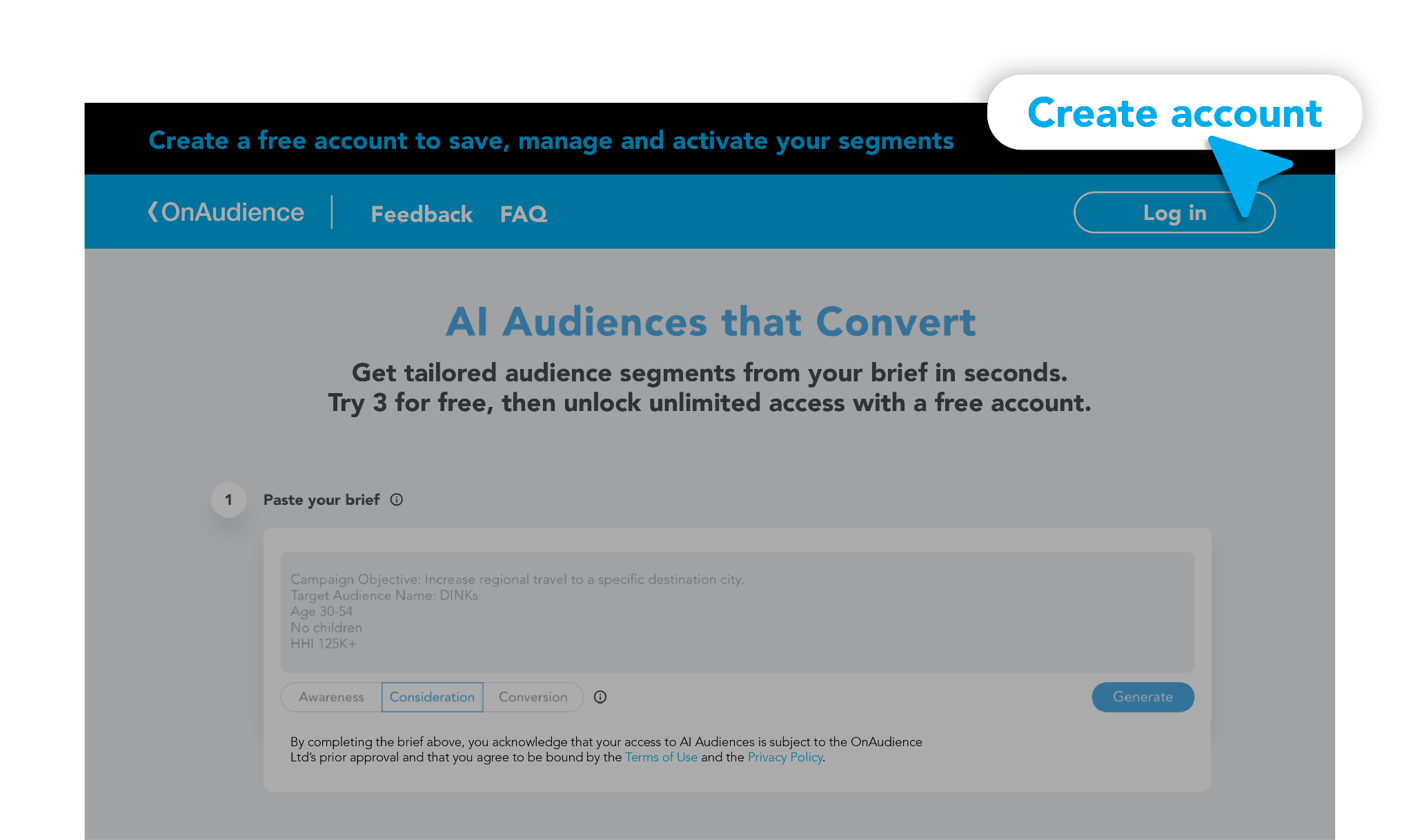
To access the tool, visit ai.onaudience.com. If you’d like to save, manage, and activate your segments, you’ll need to create a free account.
How to create a free account?
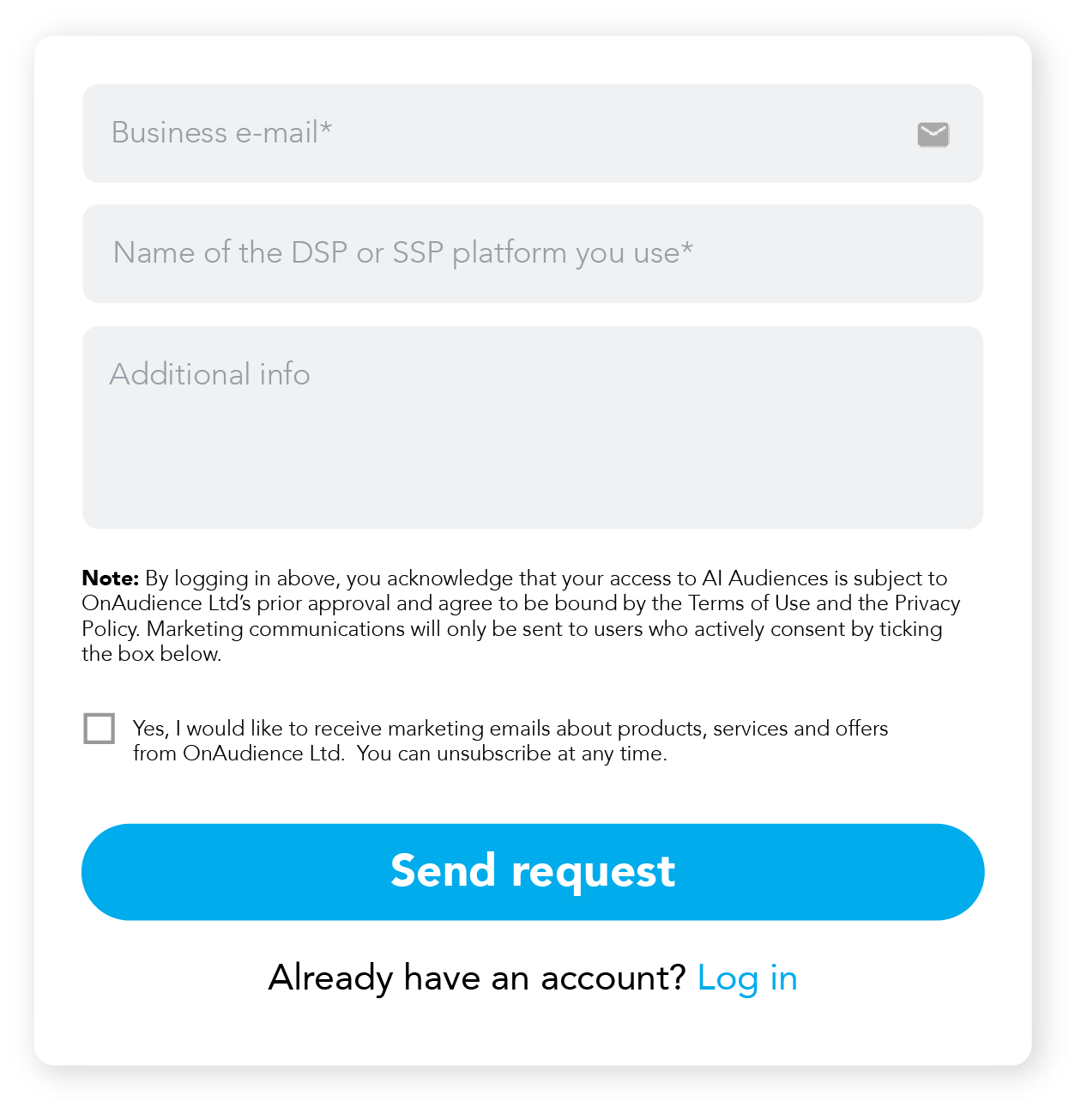
- Click the blue “Create account” button on the black top bar of the website.
- Fill out a short form with:
- your business email,
- the platform you work on e.g. The Trade Desk, Amazon etc,
- and any additional information you think is important.
After submitting the form, the OnAudience team will review your request and create your free account.
How do you create a segment?
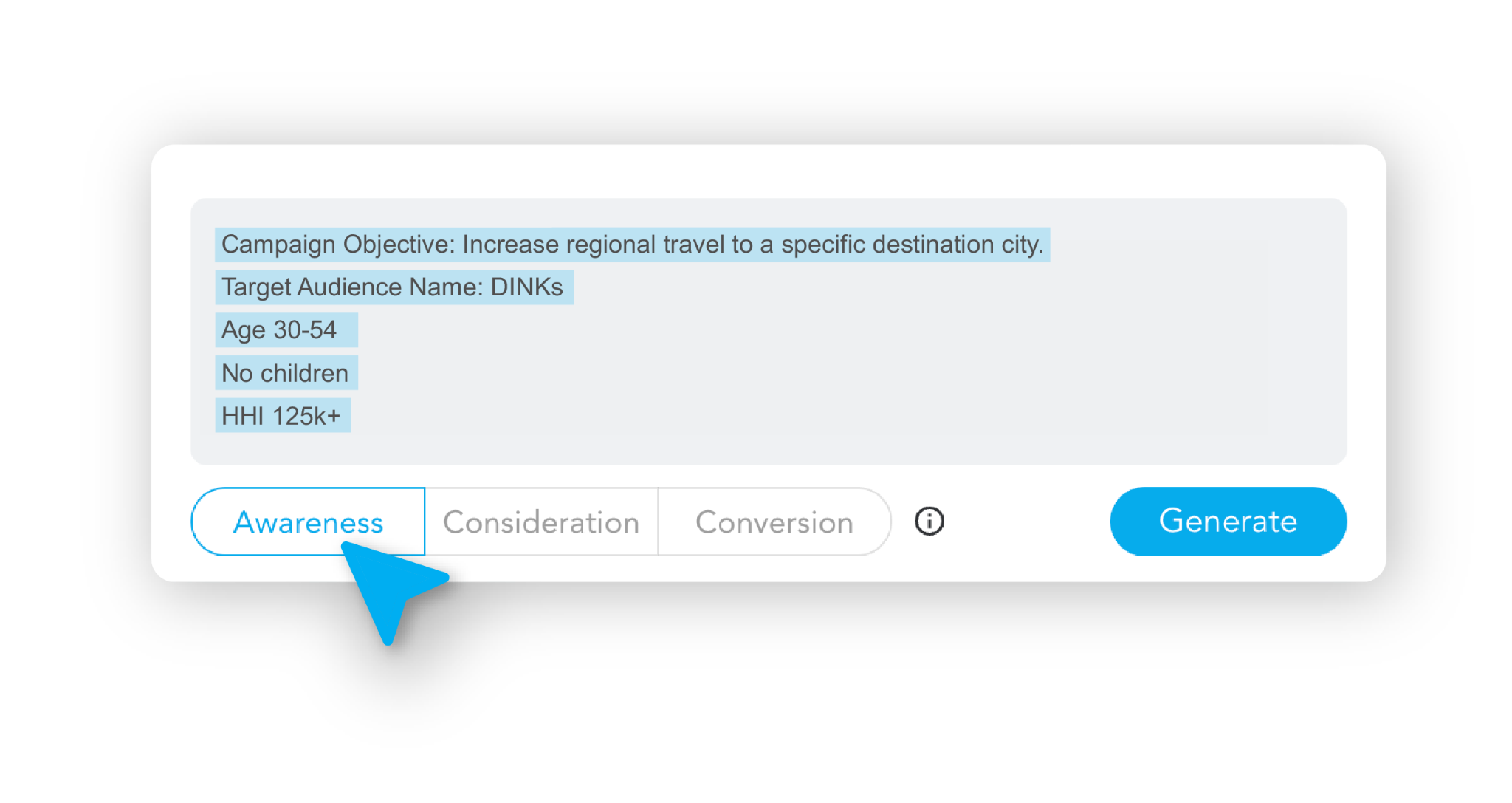
You can create a segment either using the open version of AI Audiences or through your free account.
To create a segment, follow these steps:
- Paste or write your brief – describe the type of audience you’re looking for.
- Select your campaign goal: Awareness, Consideration, or Conversion.
- Click the “Generate” button.
- Wait a few seconds while the tool analyzes billions of data points to create your custom segment.
- Review the segment description, details, and reach.
- Enter a name for your segment or use the name of segment created by AI Audiences and click “Save segment” (if you’re logged in).

In the open version, click “Create an account” if you want to save and license your segment to a selected platform.

Can I edit Draft Segments?
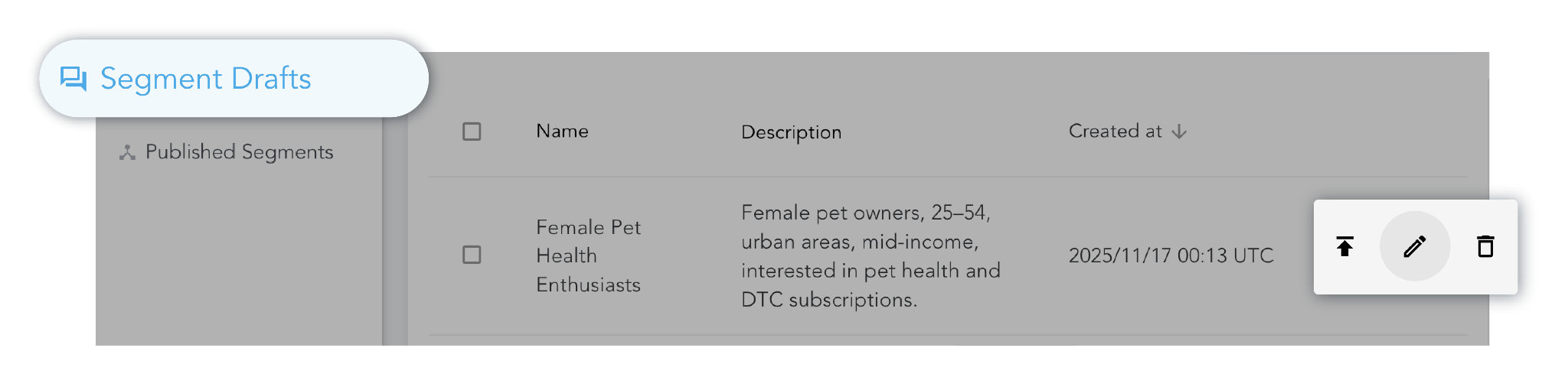
Yes, you can edit your segments, but only when you are logged in. .
You can’t edit or save segments in the open version.
To edit your segments in your account:
- Click “Segment Drafts” in the left menu.
- Select the segment you want to edit.
- Click the edit button.
- Review your brief and make the necessary changes.
- When the audience meets your needs, click the “Save changes” button.
How to publish a segment on a selected platform?
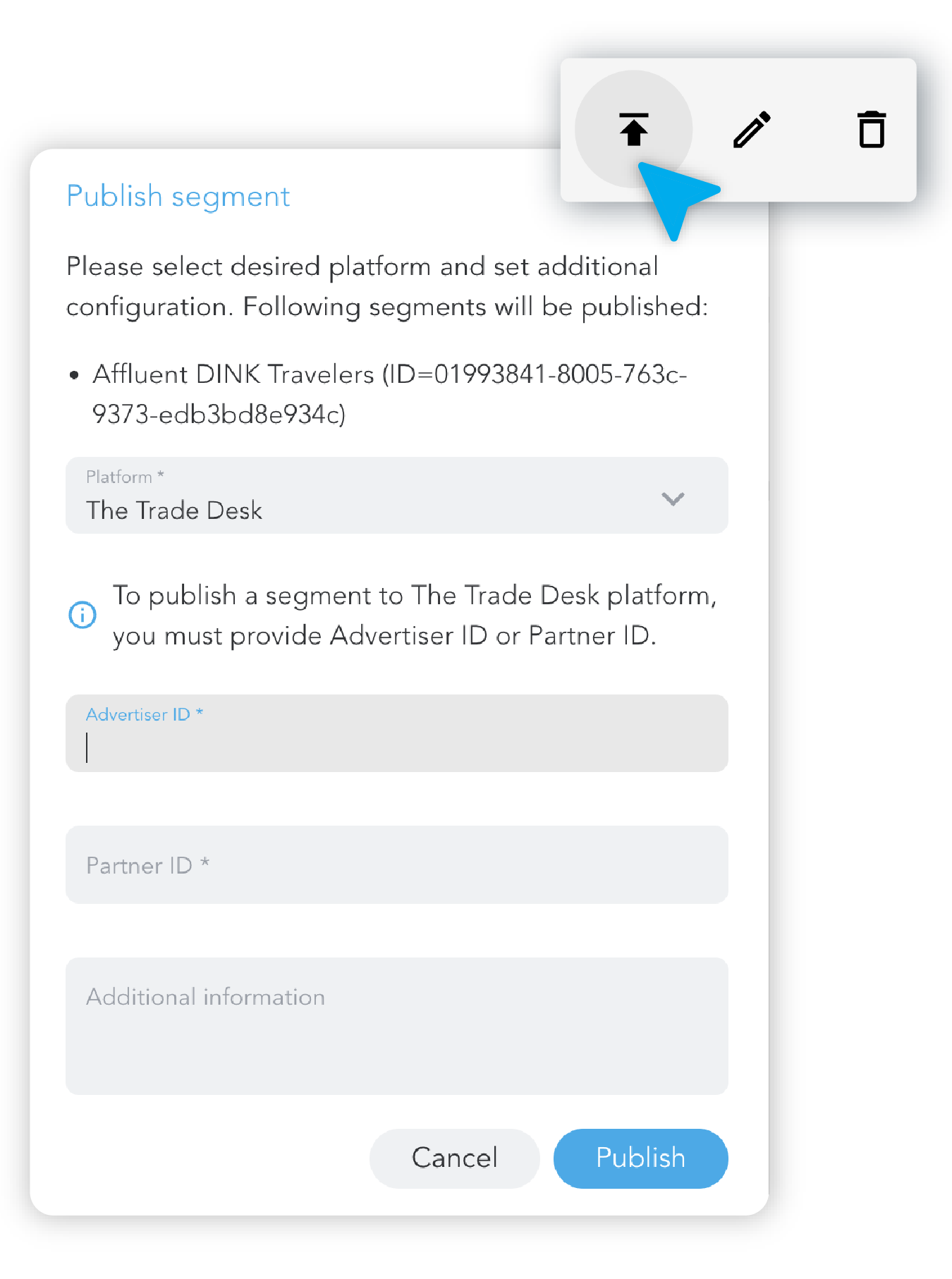
You can publish your segments only if you are logged in..To publish a segment:
- Create a new segment by pasting your brief, or go to your Segment Drafts.
- Select the segment you want to publish.
- Click the “Publish segment” icon.
- Choose the platform where you want to publish your segment (e.g., The Trade Desk, LiveRamp, Amazon, or others).
- Enter your Advertiser ID or Partner ID.
- (Optional) Add any additional information you think is important.
- Click the “Publish” button.
- Your segment will be available on the selected platform within 24 hours.
When will I know that my segment is ready to use?
To check if your segment is live, log in to ai.onaudience.com and open the “Published segments” section in the left menu.

The segment activation process follows these stages:

Submitted → Uploading → Live (ready to use) → or Failed
If the activation fails, you’ll see the reason displayed, and the OnAudience team will reach out to assist you.
You can always contact support by clicking the “Contact” button in the left navigation bar.
Best Practices for Writing Briefs in AI Audiences
To get the most from ai.onaudience.com, keep your briefs:
- Specific about goals
- State whether the focus is reach, engagement, or conversion.
- Clear on who you want
- Describe demographics, interests, and key behaviors in plain language.
- Anchored in context
- Mention product category, price point, and buying cycle if relevant.
- Explicit about exclusions
- Call out segments you want to avoid (e.g., existing customers, certain geos).
The clearer the brief, the better the AI can propose segments that match your campaign logic.
Why should you try AI Audiences for your campaigns?
AI Audiences runs on OnAudience’s proprietary, global data stack:
- 25B+ devices processed globally – rich, cross-device data that helps you understand real user behavior and build precise, high-intent audiences at scale.
- 200+ markets covered worldwide – run campaigns across multiple countries and regions while keeping one, consistent data partner and audience strategy.
- Proprietary data technology: OnAudience uses its own in-house tech stack to collect, process, and build custom AI audiences.
- Full control over data quality: every step of the data pipeline, from raw signals to ready-to-activate audiences, is managed by OnAudience, ensuring consistency, recency, and reliability across markets.
All data is processed in a privacy-compliant way according to the GDPR and CCPA, so you can scale targeting without sacrificing compliance.